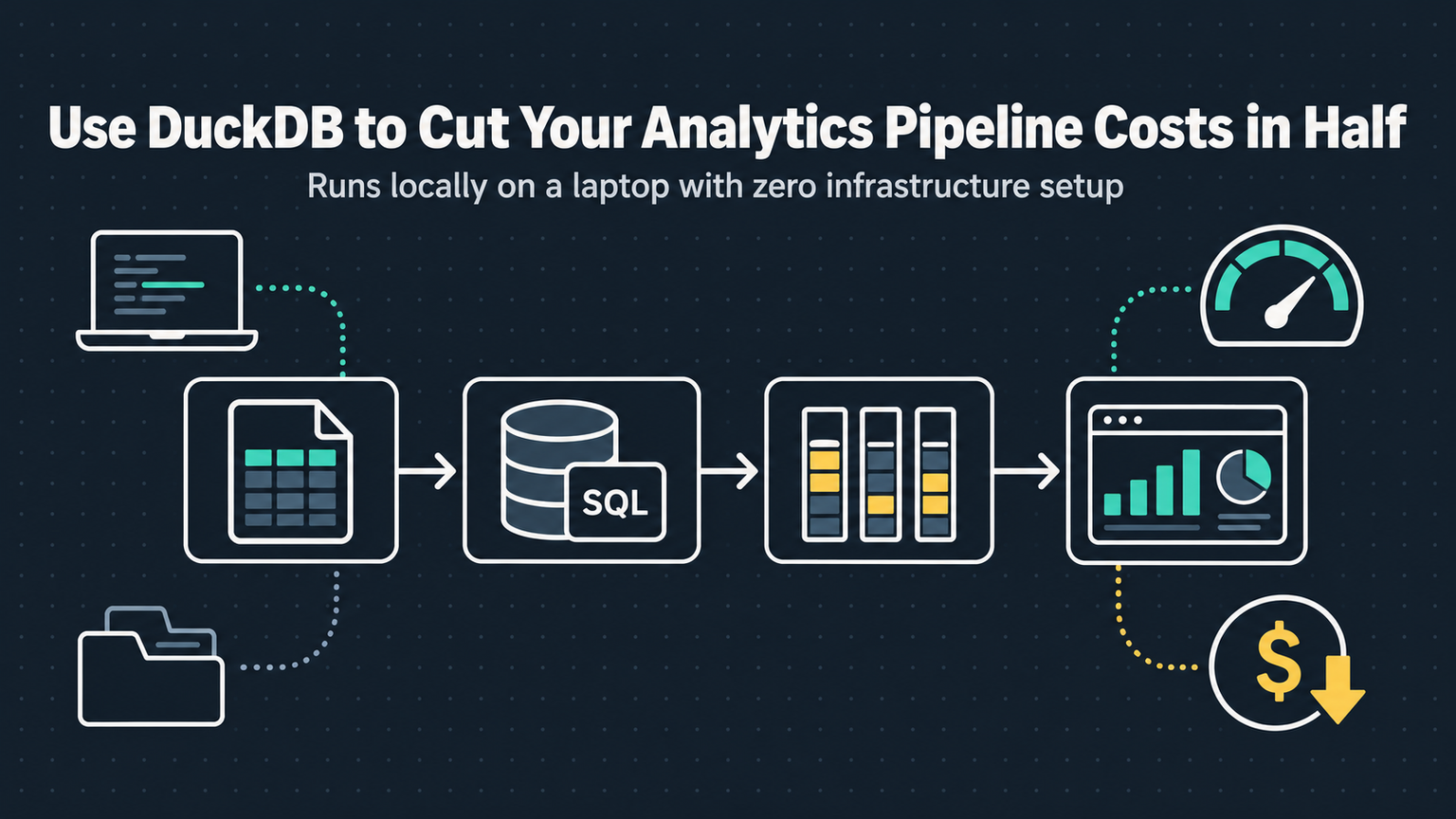
Your analytics stack costs $2,000 a month. Snowflake compute credits burn budget while your team waits for ETL jobs to finish. Meanwhile, a 50MB binary runs faster on your laptop than the cloud warehouse does on a medium cluster. That binary is DuckDB, and in 2026 it's the reason half the SMEs I talk to are firing their data warehouse vendors.
Why DuckDB Wins on Cost
DuckDB is an in-process OLAP database. No server, no network hop, no serialization tax. It reads Parquet directly from S3 using predicate pushdown and column pruning. You pay for S3 storage ($0.023/GB) and Lambda or Fargate compute ($0.000016/GB-sec). No warehouse credits, no idle clusters, no "minimum 60 seconds" billing.
| Component | Snowflake (Monthly) | DuckDB + S3 + Lambda (Monthly) |
|---|---|---|
| Storage (1TB) | $40 | $23 |
| Compute (500 queries/day) | $1,200 | $180 |
| Ingestion/ETL | $300 | $0 (native Parquet) |
| Total | $1,540 | $203 |
💡
TipNumbers assume us-east-1, 1TB compressed Parquet, 500 daily analytical queries scanning 10GB each. Your mileage varies but the ratio holds.
The Architecture That Ships
We run DuckDB inside Fastify on AWS Lambda (ARM64, 3GB RAM). Each invocation spins up, queries S3 via HTTP range requests, returns JSON, dies. Cold start: 180ms. Warm: 40ms. The same binary runs in CI, in the browser via WASM for preview dashboards, and in our Python ETL jobs. One engine, zero impedance mismatch.
Where It Breaks (And How We Fix It)
DuckDB isn't magic. Three production gotchas bit us:
Concurrency. DuckDB is single-writer. We solve this with read replicas: each Lambda gets its own connection. For writes, we serialize through a tiny SQS queue feeding a single Fargate task that appends Parquet files. Write latency: 2 seconds. Acceptable for our batch loads.
Memory pressure. Large sorts spill to disk. On Lambda's 10GB ephemeral storage, we hit limits at 50GB scans. Fix: partition data by time, use predicate pushdown, and set `SET memory_limit='2GB';` to force streaming operators.
Catalog drift. Schema changes in upstream Parquet break queries. We added a schema registry (JSON in S3) and a CI gate that runs `DESCRIBE` against sample files before deploy.
"DuckDB didn't replace our warehouse. It replaced the need for one.
— Staff Engineer, Series B Fintech
Decision Matrix: Should You Switch?
| Factor | Stay on Warehouse | Move to DuckDB |
|---|---|---|
| Concurrent writers > 10 | ✓ | ✗ |
| Data < 10TB | ✗ | ✓ |
| Team knows SQL, not DevOps | ✓ | ✗ |
| Need ACID transactions | ✓ | DuckLake 1.0 (beta) |
| Browser-based analytics | ✗ | ✓ (WASM) |
| Compliance requires audit logs | ✓ | Build it yourself |
✦
Your 30-Day Migration Plan
Week 1: Export one fact table to partitioned Parquet on S3. Query it from a local DuckDB CLI. Verify results match Snowflake. Week 2: Wrap that query in a Fastify endpoint. Deploy to Lambda behind API Gateway. Load test with k6. Week 3: Add authentication, rate limiting, and the schema registry gate. Week 4: Cut over one internal dashboard. Monitor cost and latency. If p99 < 500ms and bill drops 60%, migrate the next table.
⚠️
WarningDon't migrate everything at once. DuckDB shines on read-heavy analytical workloads. Keep your transactional writes in Postgres.