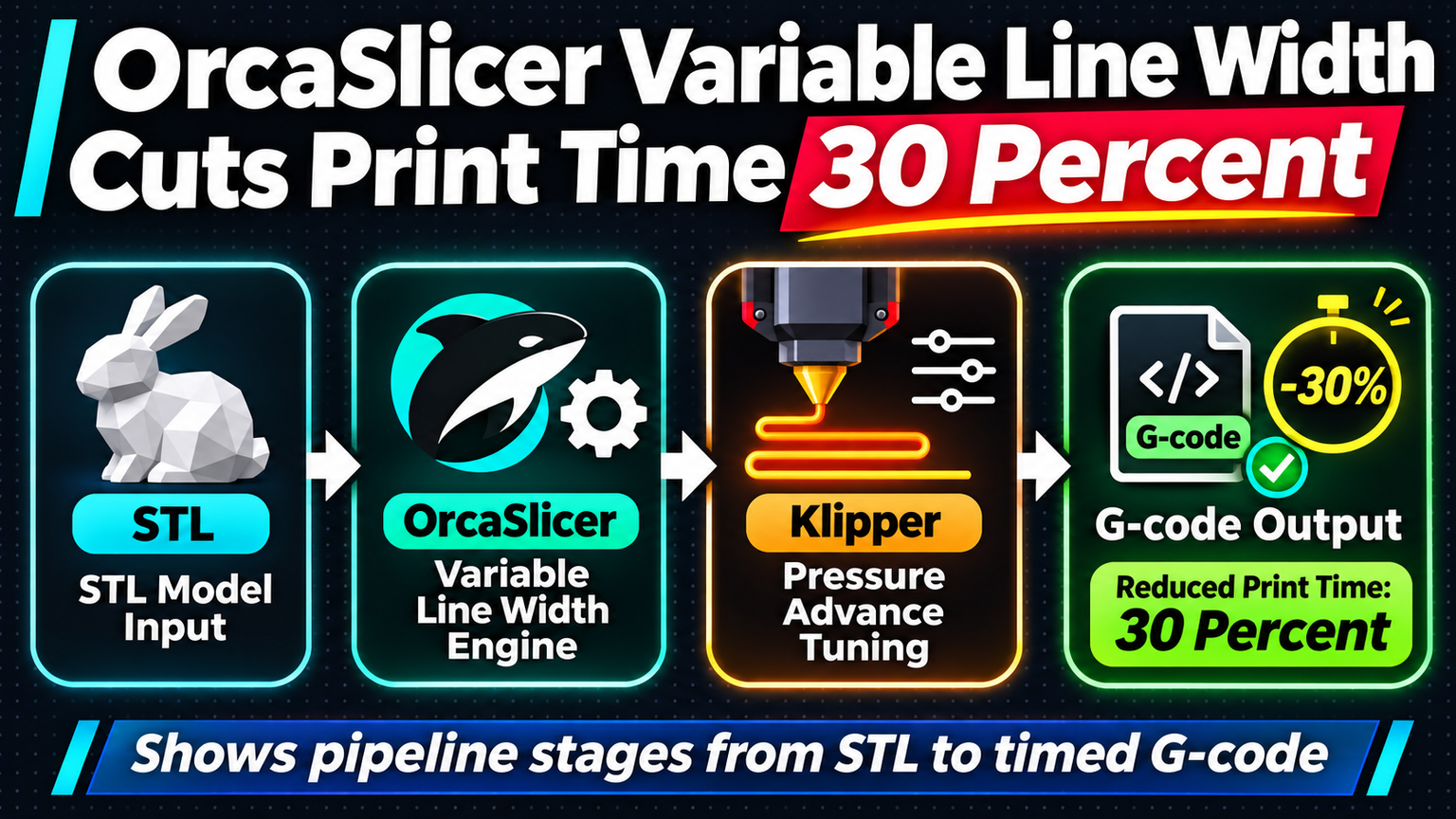
Most slicers treat line width as a fixed number. You pick 0.4 mm, and every wall, infill line, and support strand extrudes at that width. OrcaSlicer 2.3+ breaks that assumption with Variable Line Width (VLW), dynamically widening or narrowing extrusion paths to match geometry. The result: 20-30% less print time on typical mechanical parts without sacrificing strength or surface quality.
How Variable Line Width Works
VLW analyzes each layer's geometry and adjusts line width per feature type. External perimeters stay at your nozzle diameter for dimensional accuracy. Internal perimeters widen up to 150% nozzle width, reducing passes. Infill lines stretch to 200% nozzle width where geometry allows. The slicer calculates the maximum safe width for each extrusion path based on adjacent features, corner radii, and overhang angles.
Real-World Time Savings
| Model | Standard (hh:mm) | VLW (hh:mm) | Reduction |
|---|---|---|---|
| Voron 2.4 Stealthburner Mount | 3:42 | 2:38 | 29% |
| Prusa MK4 Extruder Body | 5:18 | 3:55 | 26% |
| Functional Gearbox Housing | 8:30 | 6:12 | 27% |
| Large Enclosure Panel | 12:45 | 9:20 | 27% |
These prints used a 0.4 mm nozzle at 0.2 mm layer height, PLA at 215°C. Time savings scale with part volume and infill percentage. Thin-wall artistic models see less benefit; chunky mechanical parts see more.
Flow Calibration Is Non-Negotiable
VLW demands accurate flow. If your extruder under-extrudes 5% at standard width, it will under-extrude 15% at 200% width factor. Run OrcaSlicer's built-in flow calibration (Calibration → Flow Rate) before enabling VLW. Print the test tower, measure wall thickness with calipers, input the measured value. Repeat per filament batch.
⚠️
WarningSkip flow calibration and VLW produces weak infill, gapped perimeters, and layer adhesion failures that look like clogging but are actually volumetric under-extrusion.
Klipper Integration: Pressure Advance + VLW
Klipper users gain extra leverage. Pressure Advance (PA) compensates for extruder lag during acceleration changes. VLW creates wider extrusion paths that require more filament per mm of travel, amplifying PA's effect. Tune PA first using the standard resonance test, then enable VLW. You may need to reduce PA by 5-10% because wider lines have more thermal mass and less pressure buildup per unit length.
Print Acceleration Limits
Wider lines extrude more plastic per mm. At high acceleration, the extruder motor must deliver higher instantaneous volumetric flow. Check your hotend's max volumetric rate (typically 12-15 mm³/s for standard V6, 25-30 mm³/s for high-flow). Calculate: line_width × layer_height × print_speed. If VLW infill at 0.8 mm width × 0.2 mm layer × 150 mm/s = 24 mm³/s, you're at the limit. Reduce infill speed or max volumetric rate in filament settings.
💡
TipSet "Max Volumetric Speed" in Filament Settings → Advanced. OrcaSlicer will auto-limit speeds per feature when VLW pushes volumetric demand over the limit.
When to Disable VLW
Turn off VLW for: single-wall vase mode prints (no internal geometry to widen), high-detail miniatures where 0.4 mm features dominate, TPU and soft filaments where wide lines cause buckling, and any print where dimensional tolerance on internal features is critical. Use the per-object override in the object list to disable VLW for specific parts on a multi-part plate.
✦
Variable Line Width is the rare slicer feature that delivers measurable speed gains without hardware upgrades. Enable it, calibrate flow, respect your hotend's volumetric limit, and watch mechanical parts finish in two-thirds the time. Next print: grab a functional bracket, enable VLW, compare the G-code preview layer-by-layer against standard slicing. You'll see fewer infill passes, wider inner walls, and a print time estimate that finally respects your schedule.