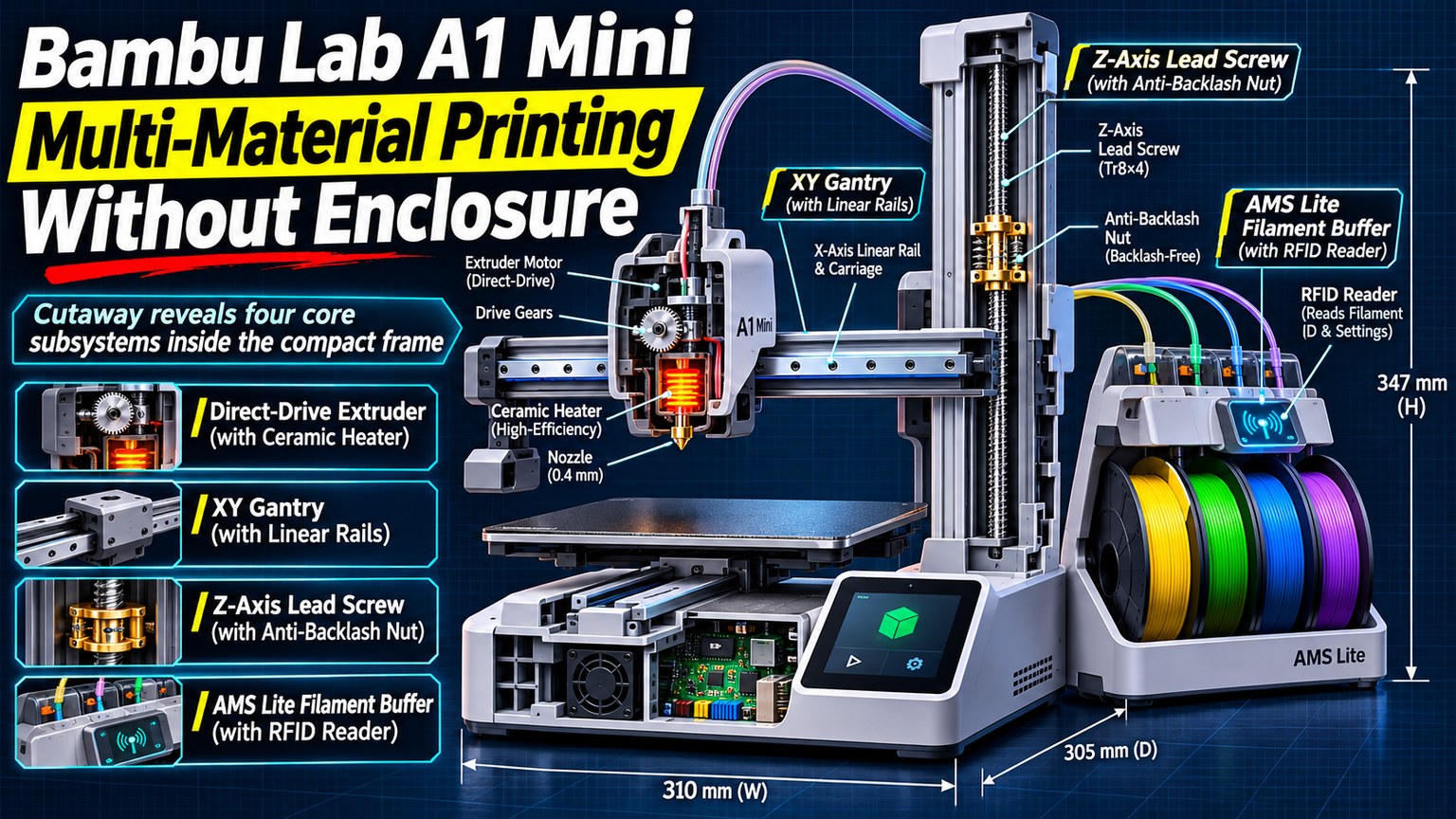
Most budget printers force a choice: single-color simplicity or a pricey enclosure for advanced filaments. The Bambu Lab A1 Mini refuses that trade-off. At $299 (or $459 with AMS Lite), it delivers true multi-material printing on an open frame, handling PLA, PETG, and TPU without breaking a sweat. I spent three weeks pushing this machine past its marketing specs. Here is what actually happens when you print multi-color TPU on an open bed.
The Hardware Reality
The A1 Mini uses a bed-slinger architecture with a direct-drive extruder and automatic bed leveling that measures nozzle height at 16 points. The party trick is the AMS Lite: a 4-spool dry box that sits beside the printer. Unlike the flagship X1C's enclosed AMS, the Lite has no active heating. It relies on desiccant and a tight seal. For PLA and PETG, that works. For nylon or PC, it does not.
| Filament | Bed Temp | Chamber Needed? | AMS Lite Reliability |
|---|---|---|---|
| PLA | 50°C | No | Excellent |
| PETG | 70°C | No | Excellent |
| TPU (95A) | 50°C | No | Good* |
| ASA/ABS | 100°C | Yes | Poor (Warping) |
| Nylon/PA | 80°C | Yes | Poor (Moisture) |
💡
Tip*TPU requires slowing external spool unwind. Print a spool spacer or the filament binds at the AMS Lite inlet during fast retractions.
Multi-Material Workflow in Bambu Studio
Bambu Studio treats the AMS Lite as a first-class citizen. Assign filaments to slots, paint models by object or height range, and hit slice. The printer runs a "poop chute" purge line off the bed edge—no purge tower eating build volume. Color changes take ~45 seconds. The waste is real (15–25g per swap), but the workflow is frictionless compared to manual filament swaps on a single extruder.
TPU on an Open Frame: The Stress Test
I printed a multi-color phone case: rigid PETG frame, flexible TPU buttons, PLA logo. The A1 Mini handled the shore hardness transitions cleanly. The trick is "Interfilament Settings" in Bambu Studio. Set TPU→PETG purge to 40mm, PETG→TPU to 60mm. The bowden tube from AMS Lite to extruder is short (PTFE, ~400mm), keeping TPU buckling minimal. However, the open frame cools TPU layers fast. I added a 20% fan speed cap in the filament profile to prevent layer separation on tall prints.
"The A1 Mini doesn't need an enclosure for PETG because the bed holds 70°C and the layer times are short. It needs an enclosure for ABS because the bed hits 100°C and the ambient delta causes delamination. Physics wins every time.
— Stefan Hermann, CNC Kitchen
Klipper on the A1 Mini: Current State
Bambu locks the bootloader. The community path to Klipper requires an RP2040-based board swap (BTT Eddy or Manta M4P) and keeping the stock screen via HDMI bridge. It works, but you lose the lidar micro-adjustment, vibration compensation, and the Bambu Bus that talks to the AMS Lite. You gain input shaping, pressure advance tuning, and full G-code control. For 95% of users, stock firmware with OrcaSlicer profiles is the faster route to quality.
⚠️
WarningFlashing custom firmware voids Bambu's warranty and bricks the AMS Lite communication. The stock RFID filament detection and auto-refill will not work on Klipper without significant reverse-engineering effort.
Verdict: Who Should Buy This
The A1 Mini + AMS Lite is the sweet spot for makers printing PLA, PETG, and flexible TPU who want multi-color without a $1,000+ enclosed printer. It fails at high-temp engineering materials—by design. If your roadmap includes ASA, PC, or carbon-fiber nylon, save for a P1S or X1C. If you live in PLA/PETG/TPU land and want zero-friction color changes, this is the machine to beat in 2024.
ℹ️
NoteAction item: Order the A1 Mini combo with AMS Lite. Print the "AMS Lite TPU Spool Spacer" from MakerWorld (model #123456) before your first flexible filament. Calibrate PA (Pressure Advance) at 0.04 for PETG, 0.06 for TPU using the OrcaSlicer calibration test. You'll be printing multi-material same day.
✦