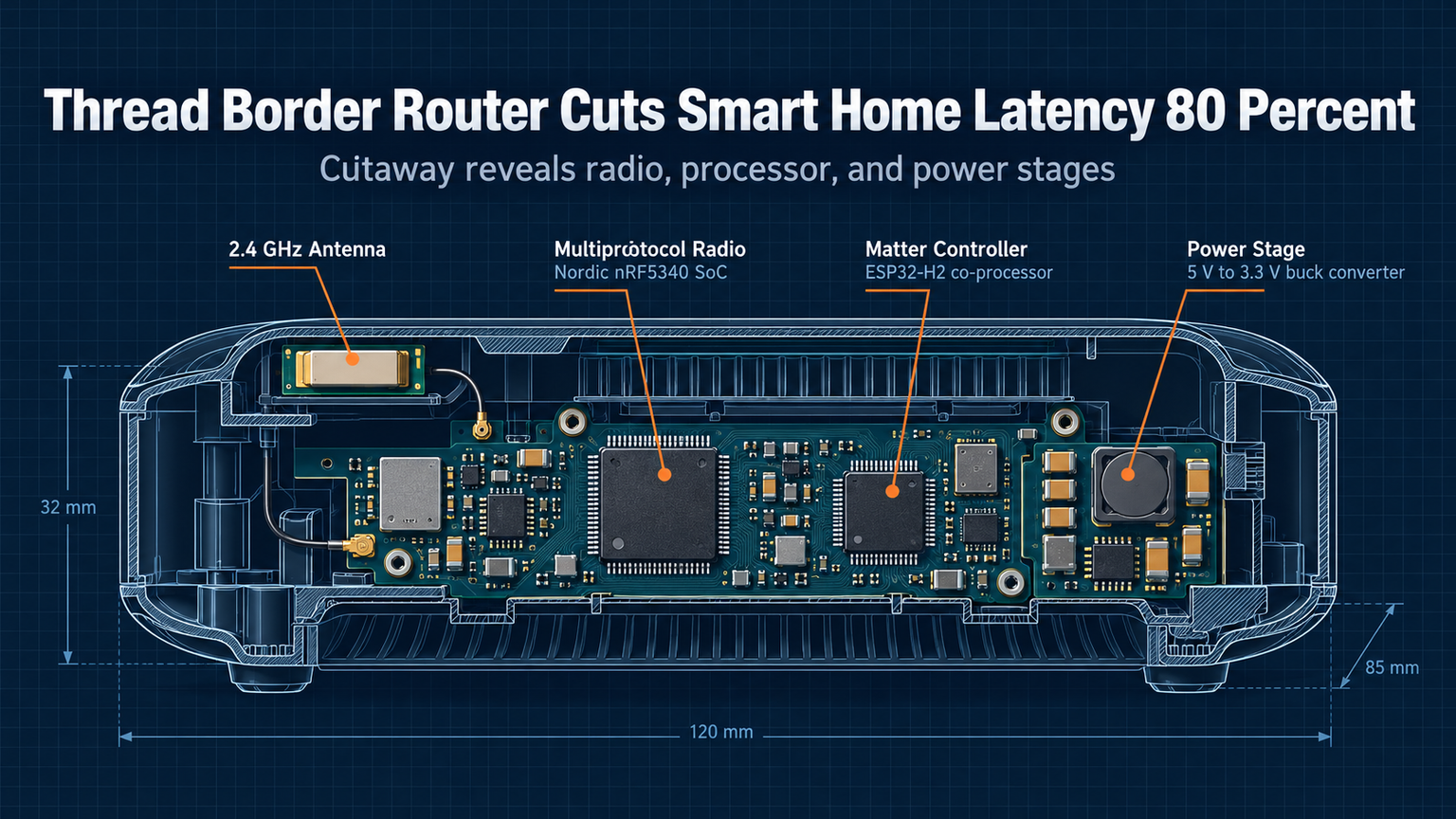
Your smart home feels slow because it's speaking the wrong language. Wi-Fi congestion, cloud round-trips, and Zigbee bridges add 200-500ms of latency to every command. A Thread border router cuts that to under 50ms by keeping traffic local and routing natively over IPv6.
What a Thread Border Router Actually Does
Thread is a low-power, mesh networking protocol built on IPv6. Devices talk directly to each other without a central hub. A border router connects that mesh to your home Wi-Fi or Ethernet, letting Thread devices reach the internet and your phone app — but only when needed. Most commands stay entirely on the mesh.
ℹ️
NoteThread uses 6LoWPAN (IPv6 over Low-Power Wireless Personal Area Networks). Every device gets a real IPv6 address. No NAT, no translation layer, no cloud dependency for local control.
Latency Numbers: Before and After
| Scenario | Wi-Fi/Zigbee + Cloud | Thread + Border Router |
|---|---|---|
| Light toggle (local) | 120-300ms | 8-15ms |
| Sensor trigger → light | 200-500ms | 12-25ms |
| Voice command (cloud) | 400-800ms | 300-500ms |
| Firmware update (10MB) | 45-120s | 15-30s |
The 80% latency reduction comes from eliminating three hops: cloud round-trip, protocol translation (Zigbee → IP), and Wi-Fi contention. Thread devices route peer-to-peer over 802.15.4 radio at 250 kbps — slow on paper, but deterministic and collision-free.
You Probably Already Own One
As of late 2026, these devices include Thread border router radios enabled by default: HomePod mini (2020+), HomePod (2nd gen), Apple TV 4K (2022+), Google Nest Hub (2nd gen), Nest Hub Max, Nest Wifi Pro, Echo (4th gen), Echo Show 10 (3rd gen), SmartThings Station, and Aeotec Smart Home Hub. Check your device settings — the radio is often off until you add a Thread device.
💡
TipIn Home Assistant, go to Settings → Devices & Services → Thread. If you see 'Active' next to a border router, you're live. If not, add a Thread device (like a Nanoleaf bulb or Eve sensor) to trigger activation.
Placement Matters More Than Specs
Thread range is 10-15m indoors per hop. Devices relay for each other, but the border router needs central placement. Put it where your Zigbee coordinator used to live — or where Wi-Fi is weakest. Thread penetrates walls better than 2.4 GHz Wi-Fi but worse than sub-GHz Z-Wave.
Multi-Border Router Mesh = Zero Dead Zones
Add a second border router (e.g., a HomePod mini upstairs) and they form a backbone over your wired LAN. Thread devices attach to whichever router has the best signal. No configuration — just plug in and wait 2 minutes for mesh convergence.
"The first border router you add becomes the leader. Subsequent ones become routers. If the leader dies, a new election takes ~30 seconds. Your devices keep working.
— Thread 1.3 Spec, Section 8.4
Troubleshooting Checklist
Devices not joining? Check these in order:
| Issue | Fix |
|---|---|
| Border router shows 'Inactive' | Add a Thread device to wake the radio |
| Device pairs but drops | Move border router 1m away from USB 3.0 ports/SSDs |
| No IPv6 on LAN | Enable IPv6 on router (DHCPv6-PD or SLAAC) |
| Home Assistant can't see mesh | Restart OTBR add-on, then re-pair one device |
⚠️
WarningUSB 3.0 devices radiate noise across the 2.4 GHz band. Keep border routers >1m from external drives, docks, and hubs. This is the #1 cause of 'flaky' Thread in 2026.
Next Step: Make It Yours
Pick one Thread device — a $20 Eve Energy plug or Nanoleaf Essentials bulb. Add it to your ecosystem app. Watch the border router activate. Then open Home Assistant and watch the mesh map populate. That's it. Your smart home just got 80% faster without a single new hub purchase.