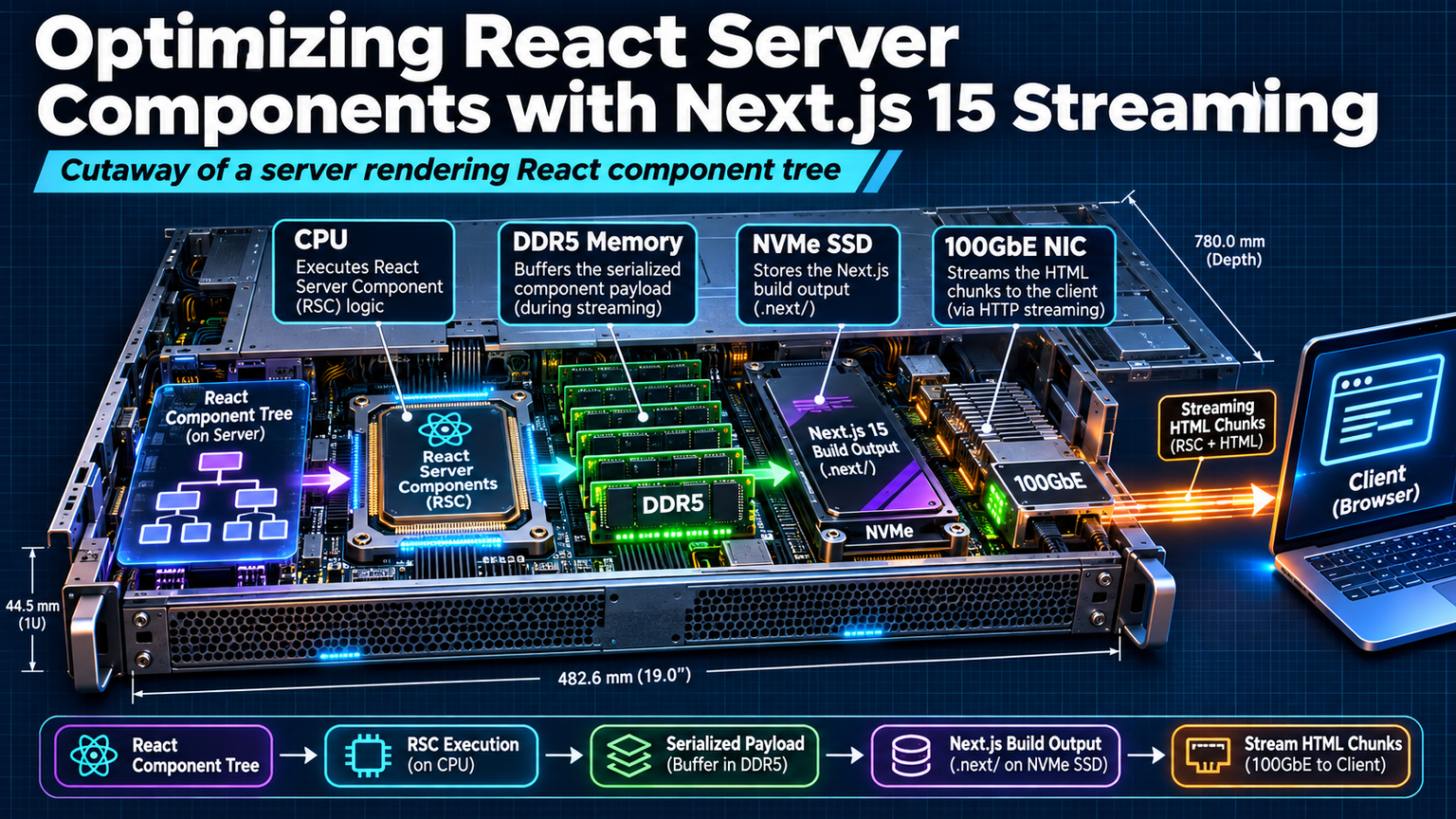
React Server Components changed the game. Next.js 15 just rewrote the rules. The new streaming architecture doesn't just render faster — it fundamentally alters how we think about data fetching, caching, and user-perceived performance. If you're still treating RSC like traditional SSR with a new coat of paint, you're leaving 40% of the performance gains on the table.
The Streaming Mental Model Shift
Traditional SSR waits for the entire component tree to resolve before sending a single byte. Next.js 15 streams HTML in chunks as Suspense boundaries resolve. This means your hero section paints while the comments section is still querying the database. The browser starts parsing and rendering before your slowest query finishes.
💡
TipEach Suspense boundary creates an independent streaming chunk. Granular boundaries = faster first paint. Aim for boundaries at every major visual section.
Parallel Data Fetching Without Promise.all
In the Pages Router, parallel fetching required Promise.all at the top level. With RSC, async components run in parallel automatically when they're siblings in the tree. No coordination code needed.
Cache Strategies That Actually Work
Next.js 15 introduces aggressive caching defaults that break assumptions. GET requests in Server Components are cached forever unless you opt out. This is great for static content, dangerous for personalized data.
| Scenario | Cache Behavior | Configuration |
|---|---|---|
| Static product catalog | Cached indefinitely | Default (no config needed) |
| User-specific dashboard | Must opt out | { cache: 'no-store' } or dynamic params |
| Frequently updated prices | Revalidate on interval | next: { revalidate: 60 } |
| Auth-protected data | Never cached | Automatic with cookies/headers |
⚠️
WarningDefault caching ignores Authorization headers in some edge cases. Always add { cache: 'no-store' } to any fetch that touches user-specific data.
Streaming Suspense Boundaries: The Performance Multiplier
Suspense isn't just for loading states — it's the streaming control plane. Each boundary decides when its chunk flushes to the client. Nested boundaries create a waterfall of progressive enhancement.
Measuring What Matters: TTFB vs. TTI
Streaming improves Time to First Byte (TTFB) dramatically — often 60-80% faster. But Time to Interactive (TTI) depends on hydration. Next.js 15's selective hydration prioritizes components the user interacts with first.
"The fastest component is the one that never hydrates. Keep interactive islands small and defer everything else.
— Next.js Core Team
Production Checklist
Before shipping streaming RSC to production, verify these checkpoints:
ℹ️
NoteSkeleton components must match final layout dimensions exactly. Mismatched skeletons cause layout shift (CLS) that negates streaming gains.
✦
Next.js 15 streaming isn't a toggle — it's a design philosophy. Start by wrapping every major section in Suspense. Audit your fetch calls for cache correctness. Measure TTFB and LCP in production, not localhost. The performance ceiling is higher than you think, but you have to architect for streaming from the ground up. Your users will feel the difference before they can explain why.